 Habitveen
A household’s money is never one person’s job. One buys the groceries, another pays the bills, a third handles the school fees — across different accounts and apps. By month-end, nobody has the full picture. Here’s how to fix that without turning it into a spreadsheet chore.

Put it all in one shared Space
The core idea is simple: instead of separate personal trackers, keep a single shared ledger for the household. In Habitveen this is a Space — you invite family members by phone, and everyone’s expenses land in the same place. You can keep separate Spaces too (Household, Business, a Trip, Personal) and switch between them in a tap.

See who spent what
Once everyone’s in, you can filter the ledger — and the totals, calendar and insights — by member. It’s not about policing anyone; it’s about clarity. When you can see that the grocery spend doubled this month, you can talk about it with facts instead of a vague feeling.
Split bills and settle up — without the awkwardness
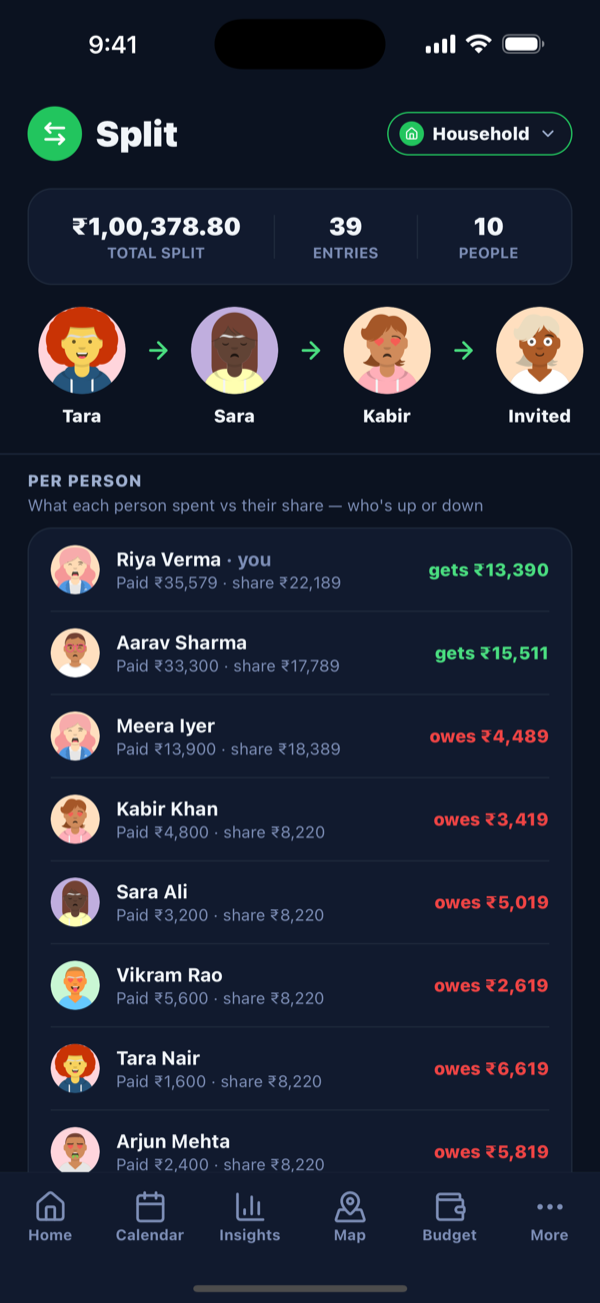
Shared costs — a dinner, a trip, a big purchase — can be split fairly and settled later. Habitveen tracks who paid, who owes whom, and gives you the fewest payments needed to clear everyone. No mental math, no “I’ll get you next time” that never happens.
Everyone logs in their own language
Adoption is everything with a family tracker — if one person finds it fiddly, it falls apart. Habitveen keeps entry to a couple of taps (or plain words like “milk 60”), and each member can use the app in their own language, with numbers and dates in the local format. The easier it is, the more complete your household picture stays.